Transitioning from one software platform to another can be a daunting task, but with a clear plan and a structured approach, the process can be smooth and efficient. If you're considering moving from EveryAction to Qomon, here's a comprehensive guide to help you through the transition in 4 steps.
Step 1: Assess Your Needs and Objectives
Before transitioning, understand your objectives with Qomon. If your focus is on advocacy, and grassroots movements or political campaigns, Qomon’s strong field operations and customizable tools are adaptable to any use case. Compared to Every Action, Qomon’s mobilization mobile app, advanced analytics, and reporting to track movement performance and supporter engagement make it stand out.
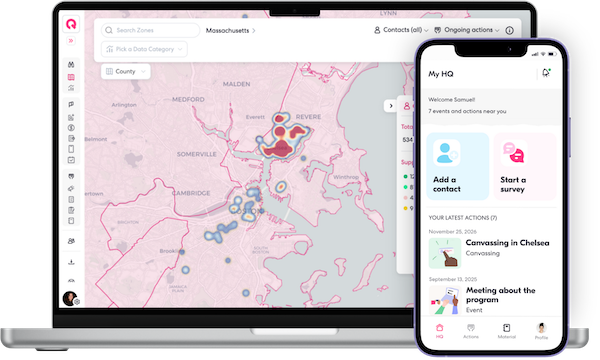
Identifying your key goals, such as improved community organizing with our mobile app or enhanced analytics, will help tailor your migration to meet your specific needs and ensure a smooth transition aligned with your strategic objectives.
Step 2: Inventory and Clean Your Data
Take stock of all the data you currently have in EveryAction such as supporters lists and contact qualifications. Organize this data and determine what needs to be migrated, archived, or discarded. Then export your clean data from Every Action.
Step 3: Migrate Your Data
Once you're ready, easily migrate your data by simply importing it to your brand-new Qomon space! Invite your team to your Qomon space by email, create teams once your members join, and easily add any materials they will need. You are now fully ready to hit the ground running and mobilize bigger!

Our team will monitor the migration closely to ensure that everything is transferred and uploaded accurately and completely so that you do not miss a beat.
Step 4: Set Up and Train Your Team
Set up your Qomon account and configure it to match your organization's needs, including customizable user roles and permissions.

Book a slot for a personalized training and invite your whole team to make the transition super smooth for everyone! We will make sure that everyone is comfortable with the new platform and understands its features and functionalities. From there, start engaging with your community.
If you have any questions, check out the Qomon help center, and feel free to reach out to our team at support@qomon.com.