Your supporters don't live on one channel. Your fundraising shouldn't either.
If your fundraising strategy leans heavily on one channel, whether that's email blasts, a donation page link in your bio, or passing a bucket at events, you're leaving money and relationships on the table.
Each fundraising channel has a different strength. Email builds the case. SMS closes the gap. Donation pages convert intent. In-person giving captures the moment. The organizations raising the most aren't picking one. They're using all four, at the right time.
Here's when each channel works, where it falls short, and how to make them work together.
Email is still the foundation of most fundraising programs. It's where you tell the story, explain the urgency, and give supporters time to consider a gift. Nearly half of all donors say email is their preferred channel for hearing from organizations they support. In 2025, email messaging generated 16% of all online revenue for nonprofits, up from 11% the year before.
But email is showing its limits. Open rates for nonprofits hover around 20%, and year-end email revenue dropped 17% year-over-year in 2025. Inboxes are crowded. Attention is short.
When to use email:
- Campaign launches and storytelling appeals
- Monthly giving asks and membership renewals
- Donor stewardship like thank-yous, impact updates, and year-end receipts
- Longer-form content that builds the case before the ask
Where it falls short:
- Urgency. An email sent at 2pm might not get opened until 9pm, if it gets opened at all.
- Last-mile conversion. People read the email, feel moved, and then get distracted before they click.
The takeaway: Email sets up the ask. It rarely closes it alone anymore.
SMS
Text messages have a 90% open rate, and most are read within three minutes. No other channel comes close. For fundraising specifically, SMS click-through rates hit around 6%, compared to email's 2.6%. The ROI is strong too: fundraising texts return an average of $4.38 for every dollar spent, with the average text donation landing around $71.
But SMS isn't where you tell your story. It's where you close the loop on a story you've already told.
When to use SMS:
- Deadline-driven asks like matching gifts, end-of-quarter pushes, and election day
- Event-day giving: "You're here, here's how to give right now"
- Follow-ups to email appeals: "Did you see our email this morning? There are 6 hours left to double your gift"
- Quick updates that link directly to a donation page
Where it falls short:
- Cold asks. An SMS from an organization that hasn't built the relationship feels like spam.
- Long messages. You have roughly 160 characters to make it count. No room for storytelling.
- Consent management. You need explicit opt-in for SMS, and unsubscribe rates can spike if you overuse it.
The takeaway: SMS is the most powerful second touch in fundraising. Pair it with email, and you get both the story and the nudge.
Donation Pages: The Conversion Point
Every channel eventually sends supporters somewhere, and that somewhere is usually a donation page. The average nonprofit donation page converts about 11% of desktop visitors and 8% of mobile visitors. That gap matters. Mobile now accounts for the majority of donations in the US, UK, and Australia.
The organizations closing that gap have a few things in common: fewer form fields, preset giving amounts, digital wallet options like Apple Pay and Google Pay, and pages that load fast on a phone.
When to use donation pages:
- As the destination for every email, SMS, and social ask
- Urgent, campaign-specific appeals with a unique page per campaign so you can track performance
- Membership sign-up flows paired with a donation step
- Embeds on your website, blog posts, or event pages
Where they fall short:
- Discovery. Nobody finds your donation page by accident. It only works when another channel sends traffic to it.
- One-size-fits-all. A generic "Donate" page converts worse than a page tailored to a specific appeal with specific language and a specific ask amount.
The takeaway: Your donation page is the finish line. Everything else is the race. Make the finish line as short and clear as possible, then use campaign codes to track which channel got supporters there.
In-Person Giving
Here's the reality: 70% of charities report a drop in cash donations. Only 23% of donations now come in as cash. But in-person moments like events, canvassing, rallies, and community meetings are still some of the most emotionally charged fundraising opportunities you have.
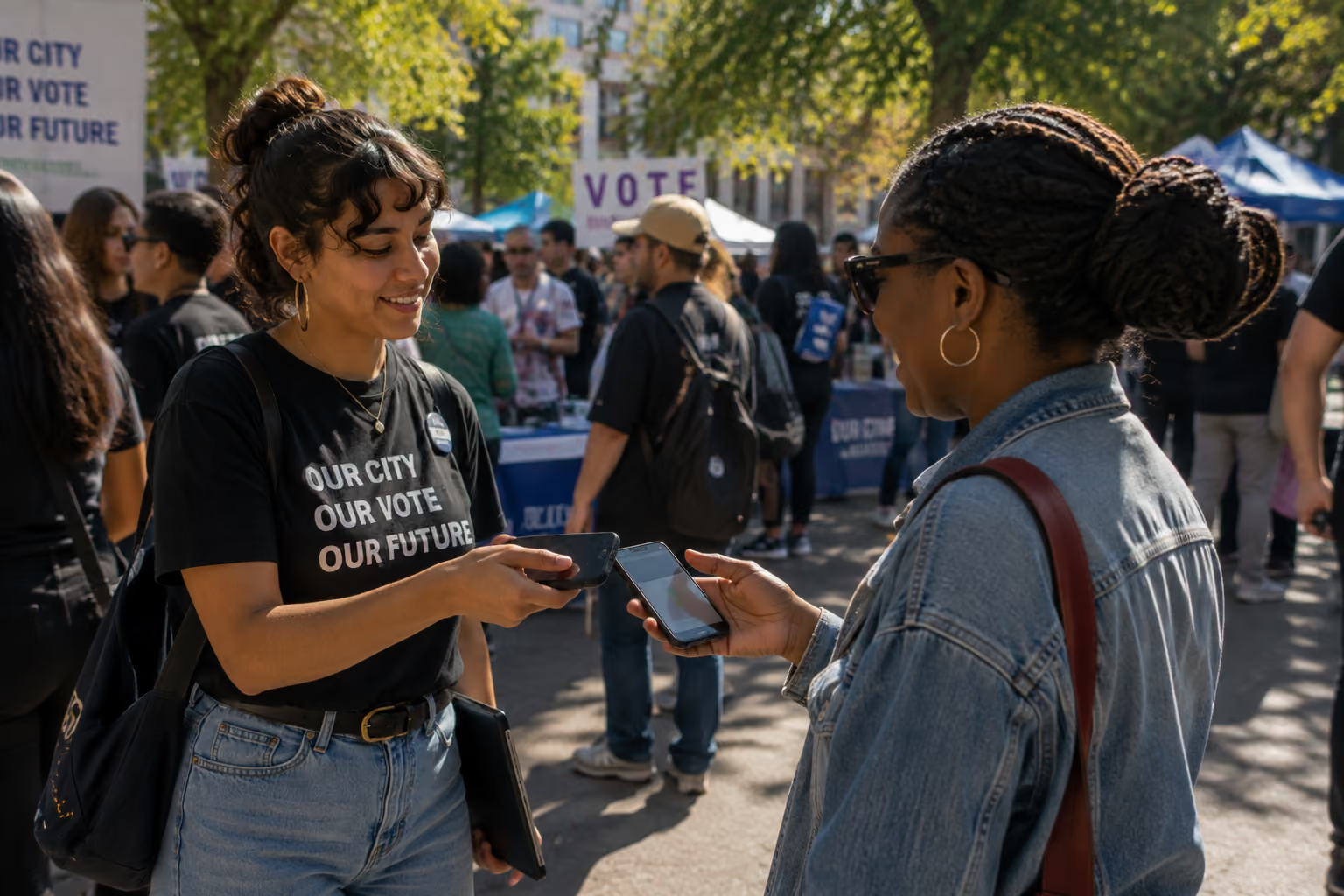
The gap isn't willingness. It's mechanics. Supporters want to give, but they don't carry cash. Contactless and tap-to-pay giving closes that gap. With tools like Tap-to-Give©, any volunteer's phone becomes a donation point. No hardware, no card reader, no "I'll donate when I get home"
Contactless methods already account for 42% of all nonprofit donations in the US, and that share keeps growing.
When to use in-person giving:
- Events, galas, and community gatherings
- Door-to-door canvassing, when someone says "I'd love to help" and you can say "you can, right now"
- Rallies, marches, and public actions
- Any moment where emotion and proximity are high
Where it falls short:
- Scale. You need people physically present to collect.
- Follow-up. If the donation doesn't sync to your database, you lose the relationship. Make sure every in-person gift creates or updates a contact profile so you can thank them and ask again.
The takeaway: In-person giving captures intent at its peak. The key is making it frictionless and making sure the data flows back into your system so the relationship continues.
How They Work Together
No channel works in isolation. The strongest fundraising programs layer them.
The classic combo: Email, then SMS, then Donation Page. Send an email telling the story on Monday. Follow up with an SMS on Wednesday linking to the donation page. Send a final SMS on the deadline day. This sequence consistently outperforms single-channel campaigns.
The event play: In-Person + SMS + Email. Collect donations at the event with tap-to-pay. Send a thank-you SMS that evening. Follow up with an email a few days later showing impact and inviting them to the next action.
The petition-to-donor pipeline: Action Hub, then Email, then Donation Page. Someone signs a petition. You send a follow-up email a week later: "You cared enough to sign. Would you give $25 to help us take this further?" The donation page is pre-built and waiting.
The canvassing close: Door-to-Door + Tap-to-Give + Email. A volunteer knocks, has the conversation, and collects a donation on the spot. The donor gets an automated thank-you email and enters your follow-up flow.
The pattern is always the same: one channel creates the connection, another closes the gift, and a third keeps the relationship going. When your organizing and fundraising live in the same platform, these sequences happen naturally. No exports, no re-imports, no lost data between tools.
In conclusion
Single-channel fundraising is leaving money on the table. The data is clear: campaigns using three or more channels see higher response rates and better ROI than single-channel efforts.
But multichannel fundraising isn't about being everywhere at once. It's about knowing which channel does what and building sequences where each one plays its role.
Email tells the story. SMS creates urgency. Donation pages convert. In-person giving captures the moment. Together, they turn supporters into donors and donors into long-term partners.
The question isn't whether to go multichannel. It's whether your tools make it easy enough to actually do it.